 Punte
PunteRemote desktop for Mac on iPhoneControl your Mac from your iPhone.
Check on a long export, grab a file you forgot, or unlock your Mac from the sofa. Punte shows your Mac on your iPhone with its sound and lets you control it by touch, over your home network or your own VPN. No cloud, no account.
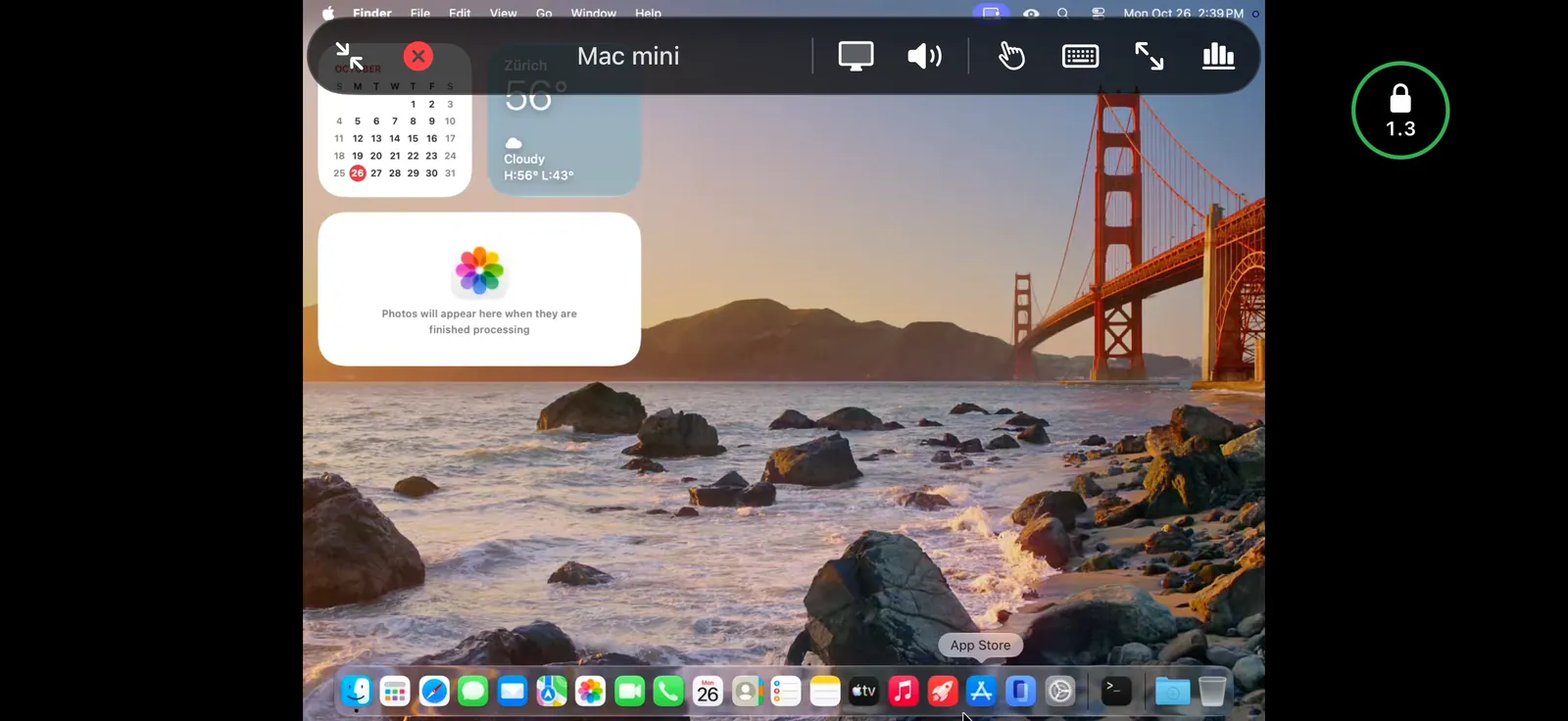
A big desktop, made usable on a small screen
A resolution that fits
Best for this device switches the Mac to a size that suits the iPhone, so text is readable without zooming. The Mac switches back when you disconnect.
Trackpad or direct touch
Move the pointer like on a trackpad for precision, or tap exactly where you want to click. Pinch to zoom and drag with three fingers to move around.
Keys a Mac needs
The on-screen keyboard adds Escape, Tab, arrows and ⌘ ⌥ ⌃ ⇧ that stay held, so shortcuts work from the iPhone too.
Unlock a locked Mac
Sign in to a locked Mac from the iPhone through macOS's own Screen Sharing, carried inside Punte's encrypted connection.
iPhone Duo, folded or open
On Apple's foldable, the picture follows when you unfold or fold it in the middle of a session.
Face ID lock
Optionally ask for Face ID before a Mac opens, so a borrowed phone can't reach your desktop.
How to control a Mac from an iPhone
- Install Punte Host from the Mac App Store on your Mac, allow Screen Recording and Accessibility, and turn on Accepting connections.
- Install Punte from the App Store on your iPhone.
- On the Mac, choose Pair New Device… and scan the QR code with the iPhone's camera.
- Approve the iPhone on the Mac, then tap Connect.
Away from home, connect through your VPN with the Mac's VPN address. Full setup guide
Requirements
- iPhone: iOS 26 or later.
- Mac: macOS 26 or later with Punte Host, free on the Mac App Store.
- Network: the same Wi-Fi network, or a VPN to it.
- Price: free with 10-minute sessions and one Mac. Punte Pro is €14.99 once, for iPhone, iPad and Mac together. Pricing
Also on iPad, Windows, Android and another Mac.